A customer wants weigh and monitor the content inside their silo.
Interface Solution
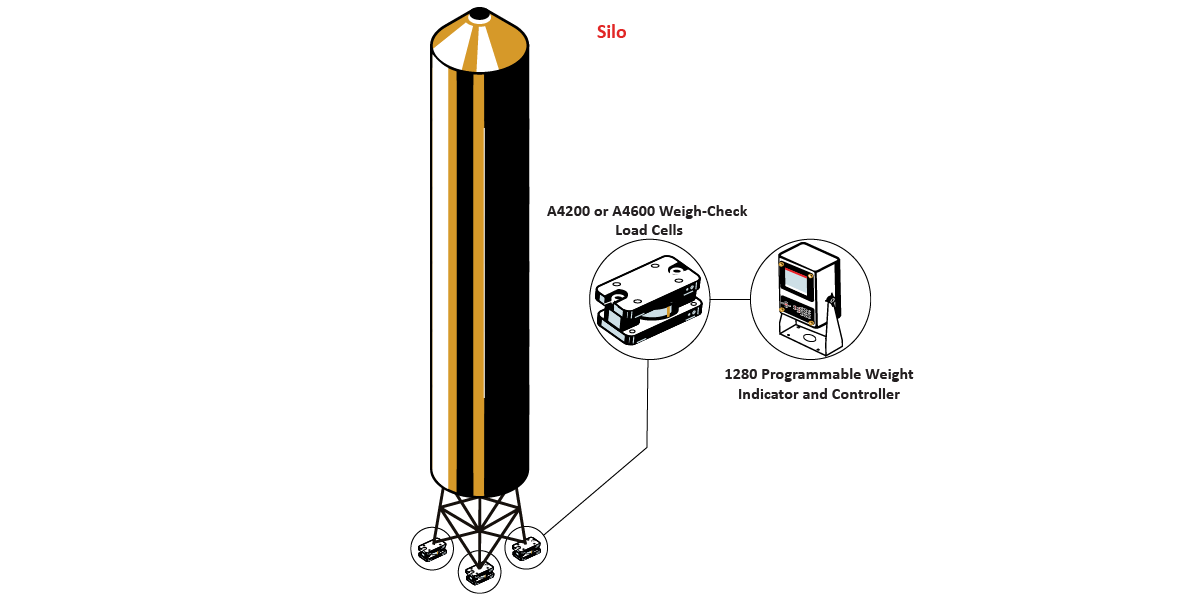
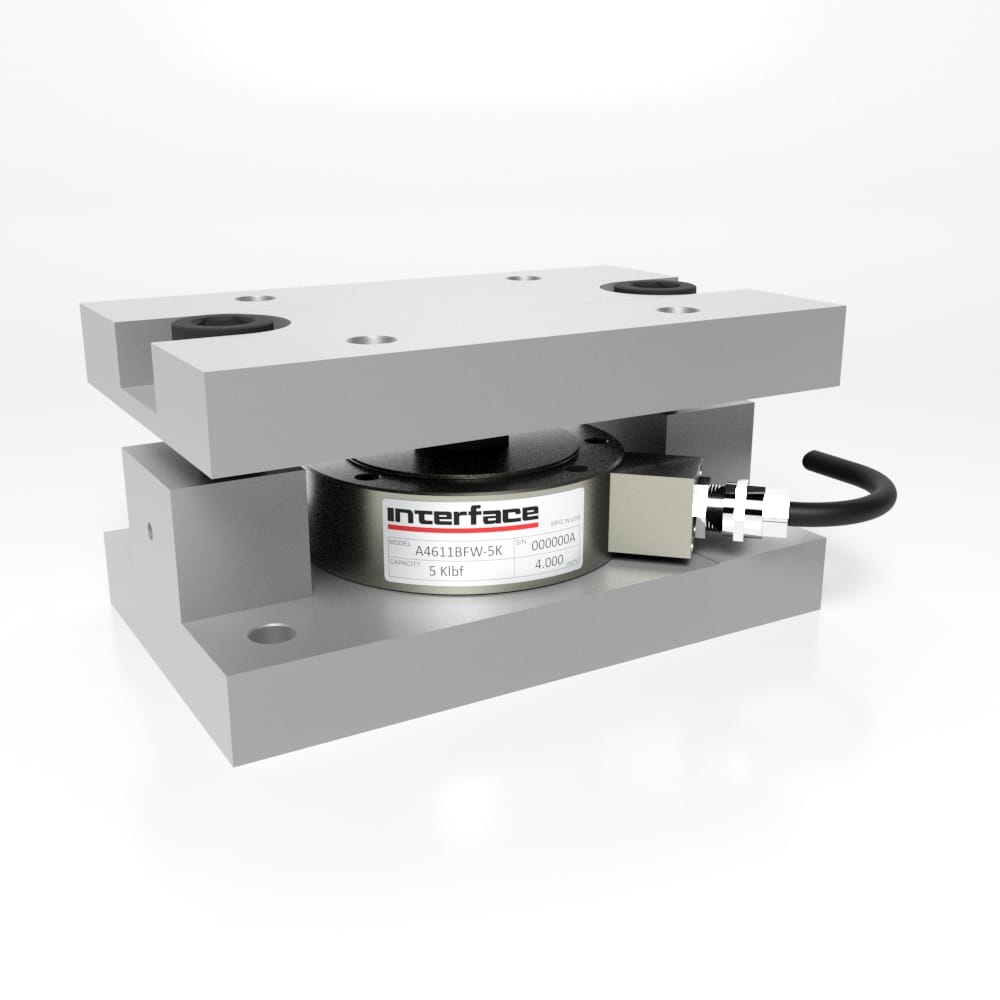
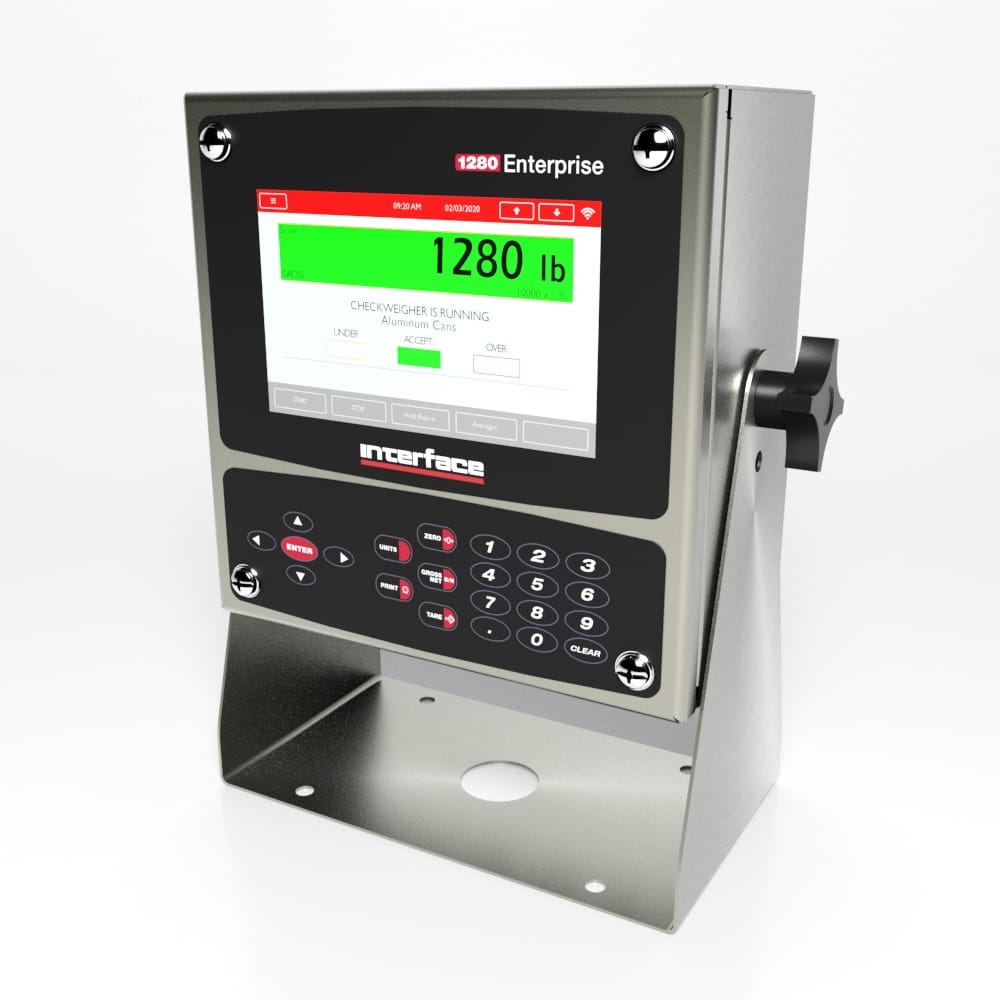
Using Interface’s A4200 Zinc Plated or A4600 Stainless Steel Weigh-check Load Cells, paired with 1280 Programmable Weight Indicator and Controller, the customer is able to monitor the amount of content by weight in their silo.
Results
The customer was provided a customizable solution to monitor and weigh their silo with Interface, Inc.’s load cells and instrumentation. Results from the 1280 Programmable Weight Indicator and Controller was sent to the customer’s control center.
Materials
A4200 or A4600 Weigh-Check Load Cells
1280 Programmable Weight Indicator and Controller
How it Works
The A4200 or A4600 Weigh-Check Load Cells are installed under the legs of the silo, or base of the silo. The Weigh-Check Load Cell will measure the load as material is loaded into or unloaded out of the silo.
Weight measurements will be displayed on the 1280 Programmable Weight Indicator and Controller, showing the weight for each leg and corresponding to the total weight of the silo. The 1280 also has the ability to perform batching functions, and send results to the customer’s control center.
We use cookies to enhance your browsing experience, serve personalized content, and analyze our traffic. By clicking "Accept All Cookies", you consent to our use of cookies.
We may request cookies to be set on your device. We use cookies to let us know when you visit our websites, how you interact with us, to enrich your user experience, and to customize your relationship with our website.
Click on the different category headings to find out more. You can also change some of your preferences. Note that blocking some types of cookies may impact your experience on our websites and the services we are able to offer.
Essential Website Cookies
Essential Website Cookies
These cookies are strictly necessary to provide you with services available through our website and to use some of its features.
Because these cookies are strictly necessary to deliver the website, you cannot refuse them without impacting how our site functions. You can block or delete them by changing your browser settings and force blocking all cookies on this website.
Google Analytics Cookies
Google Analytics Cookies
These cookies collect information that is used either in aggregate form to help us understand how our website is being used or how effective our marketing campaigns are, or to help us customize our website and application for you in order to enhance your experience.
If you do not want us to track your visit to our site, you can disable tracking in your browser here:
Other external services
Other external services
We also use different external services like Google Webfonts, Google Maps and external Video providers. Since these providers may collect personal data like your IP address we allow you to block them here. Please be aware that this might heavily reduce the functionality and appearance of our site. Changes will take effect once you reload the page.
Google Webfont Settings:
Google Map Settings:
Privacy Policy
Privacy Policy
I agree to the terms and conditions laid out in the Privacy Policy